Before you travel
A small detail can make a big difference.
Please keep your train ticket.Do not cancel the reservation.
There’s no need to leave the document to understand it.
 Aotia中文
In the app you’re already using. Press Control + Option + T, or click the menu-bar icon. The translation opens on your Mac.
A small detail can make a big difference.
Please keep your train ticket.Do not cancel the reservation.
There’s no need to leave the document to understand it.
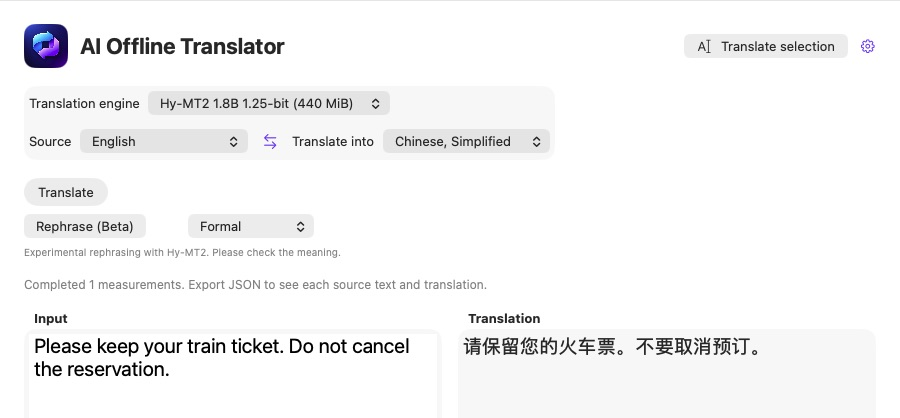
Animated workflow illustration with real app screenshots. Not a recording or a live translator.
No switching to a translation website. No pasting text into a chat.
Highlight the words you want to understand in the app you’re already using.
Press Control + Option + T, or use the translation icon in your menu bar.
Read the result, copy it if you need it, and get back to what matters.
The menu-bar workflow has been confirmed in Slack. Selection support varies by app; Accessibility permission is required.
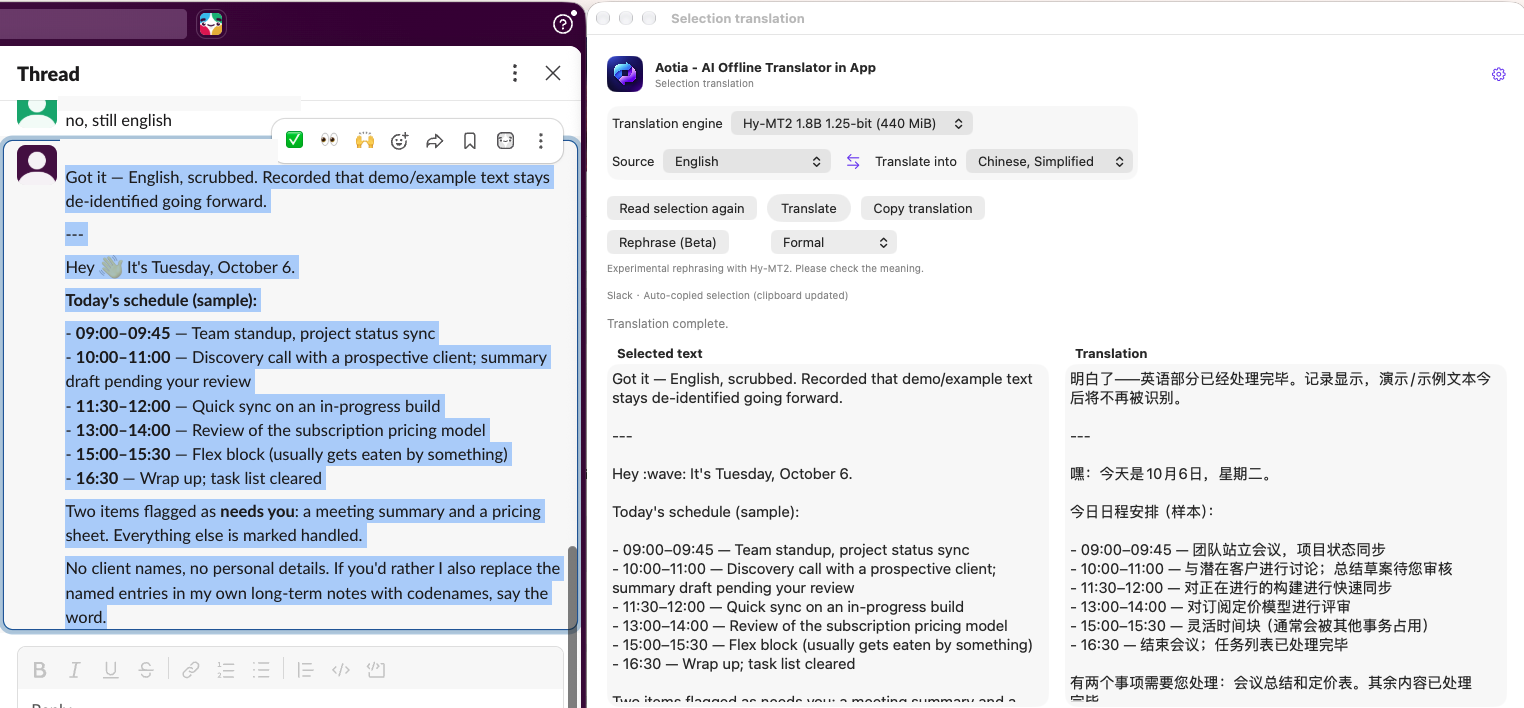
Real screenshot with sample content. Names and channel details are hidden.
Polish a draft without translating it. Aotia uses the local Hy-MT2 model to rephrase selected text in its original language.
Correct grammar, spelling, and punctuation while keeping your wording close to the original.
Make a message sound more natural and conversational.
Use a more professional tone for emails, documents, and work messages.
Rephrasing is in Beta and requires a supported Hy-MT2 model. It runs locally after setup; review the result to make sure the meaning is preserved.
How to rephrase with AotiaFast system translation or a dedicated local AI model. You decide.
BUILT INTO MACOS
Use Apple’s on-device translation with downloaded language resources. A straightforward place to start.
Language availability depends on macOS.LOCAL AI · TWO SIZES
Choose the compact 440 MiB model, or the 1.13 GB Q4 model. Both run locally after setup.
Model file size is not running memory.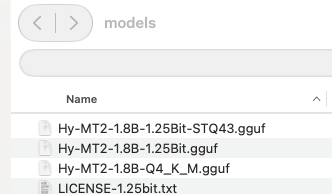
These engines process translations on your Mac. Initial resource downloads, app updates, and license activation may need internet access.
No account. No subscription. No tricks.
$4.99 USD
Early-access offer through December 7, 2026 (Pacific Time). $9.99 from December 8, including lifetime updates and maintenance.
Yes. Rephrase (Beta) uses a supported local Hy-MT2 model to polish text in the original language. Choose Proofreading, Casual, or Formal, and check the result before using it.
Apple Translation and Hy-MT2 run locally once the required language resources or model are installed. First-time setup and updates may require a connection.
No registration or login is required. Download the beta and try it free for 30 days. A license unlocks continued use after the trial.
The current app targets macOS 26 or later. Testing has been performed on Apple Silicon; broader hardware compatibility is still being checked.
Selection capture depends on the app. Slack’s menu-bar translation workflow has been confirmed. Some custom editors may need a different capture path.
On our M1 Max test Mac, the 440 MiB Hy-MT2 process was around 0.7–1.0 GiB RSS; Q4 was about 2.48 GiB after a small test. These are observations, not guaranteed limits, and exclude the app interface.
You can import GGUF files into the model library. Importing does not guarantee compatibility: new models still need runtime and prompt support.
Yes. Download the signed and notarized Aotia 0.2.7 ZIP for Apple Silicon and macOS 26 or later. Unzip it, move Aotia to Applications, and open it. Your 30-day free trial starts in the app.
Our aggregate counters measure page views and download/purchase clicks without cookies or permanent visitor IDs. Optional Google Analytics uses cookies only with your consent; you can change your choice in Cookie settings. No translation content is collected. Do Not Track and Global Privacy Control are respected. Counts are not unique visitor numbers. Network services process connection metadata; application analytics do not retain IP addresses or raw requests. App usage is not reported.