Before you travel
A small detail can make a big difference.
Please keep your train ticket.Do not cancel the reservation.
There’s no need to leave the document to understand it.
 AI Offline Translator中文
 In the app you’re already using. Press Control + Option + T, or click the menu-bar icon. The translation opens on your Mac.
A small detail can make a big difference.
Please keep your train ticket.Do not cancel the reservation.
There’s no need to leave the document to understand it.
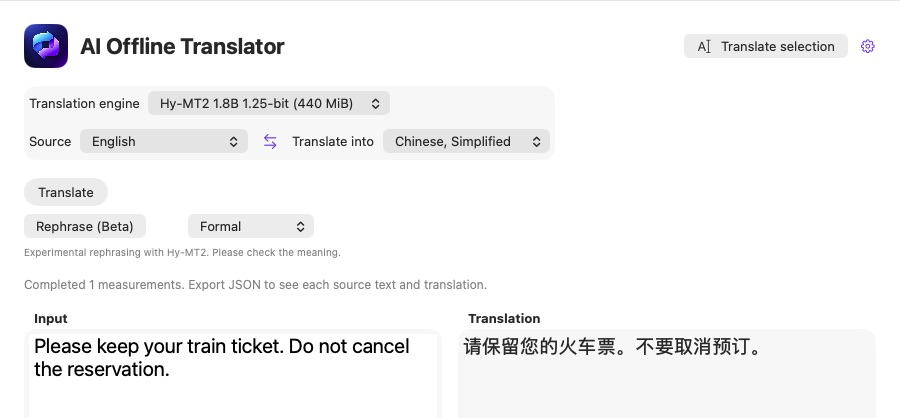
Animated workflow illustration with real app screenshots. Not a recording or a live translator.
No switching to a translation website. No pasting text into a chat.
Highlight the words you want to understand in the app you’re already using.
Press Control + Option + T, or use the translation icon in your menu bar.
Read the result, copy it if you need it, and get back to what matters.
The menu-bar workflow has been confirmed in Slack. Selection support varies by app; Accessibility permission is required.
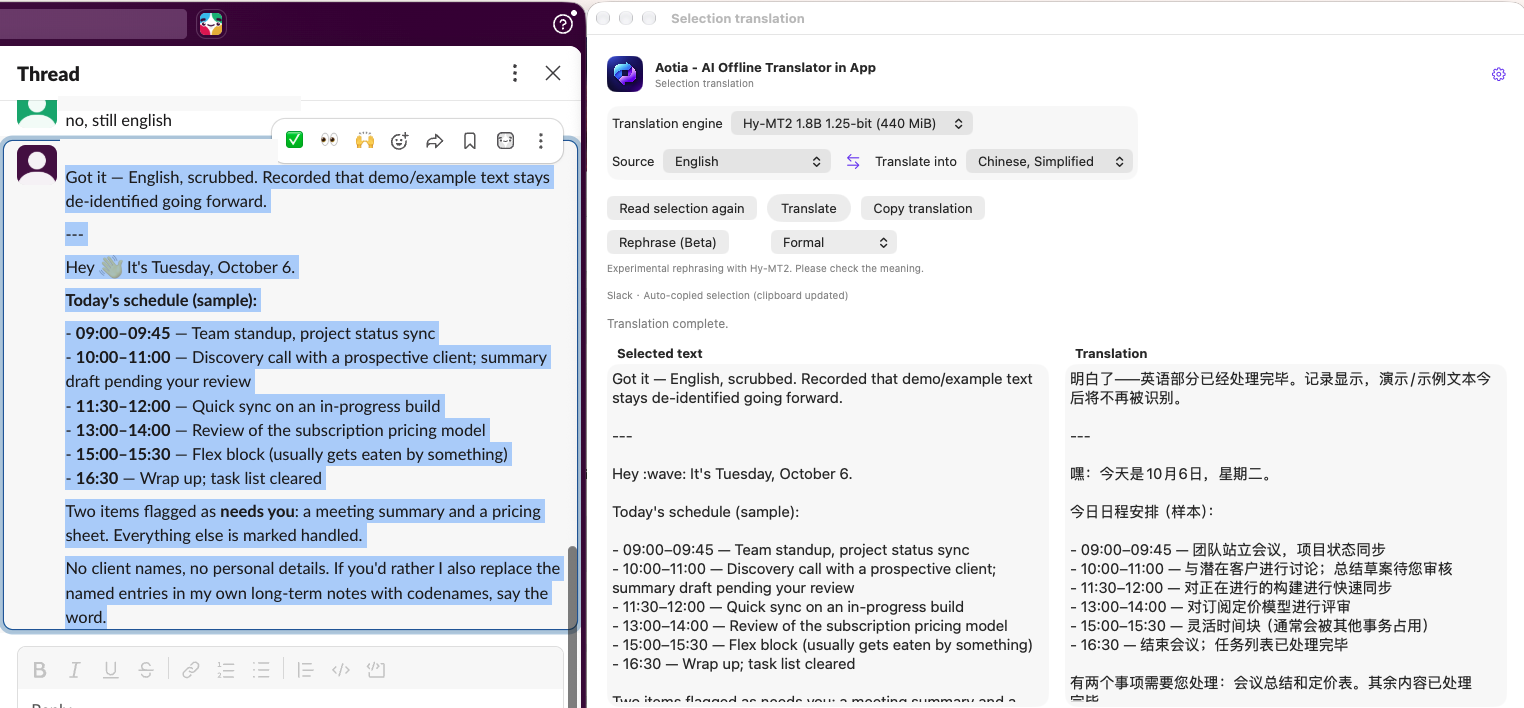
Real screenshot with sample content. Names and channel details are hidden.
Fast system translation or a dedicated local AI model. You decide.
BUILT INTO MACOS
Use Apple’s on-device translation with downloaded language resources. A straightforward place to start.
Language availability depends on macOS.LOCAL AI · TWO SIZES
Choose the compact 440 MiB model, or the 1.13 GB Q4 model. Both run locally after setup.
Model file size is not running memory.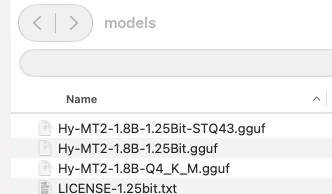
These engines process translations on your Mac. Initial resource downloads, app updates, and license activation may need internet access.
No account. No subscription. No tricks.
$4.99 USD
Purchase opens with the beta release
The public installer and license flow are being prepared. Downloads and checkout will open when they are ready.
Apple Translation and Hy-MT2 run locally once the required language resources or model are installed. First-time setup and updates may require a connection.
No registration or login is planned. The beta includes a 15-day trial; a purchase unlocks continued use. The trial and activation flow are being finalized before public release.
The current app targets macOS 26 or later. Testing has been performed on Apple Silicon; broader hardware compatibility is still being checked.
Selection capture depends on the app. Slack’s menu-bar translation workflow has been confirmed. Some custom editors may need a different capture path.
On our M1 Max test Mac, the 440 MiB Hy-MT2 process was around 0.7–1.0 GiB RSS; Q4 was about 2.48 GiB after a small test. These are observations, not guaranteed limits, and exclude the app interface.
You can import GGUF files into the model library. Importing does not guarantee compatibility: new models still need runtime and prompt support.
Not yet. Standalone packaging, release signing, and the 15-day trial flow are still being completed. This page previews the offer.